Course creation
Best Online Course Platforms in 2026: Kajabi vs. Teachable vs. Podia
Compare Kajabi, Teachable, and Podia to find the right platform for selling online courses, digital products, and memberships.
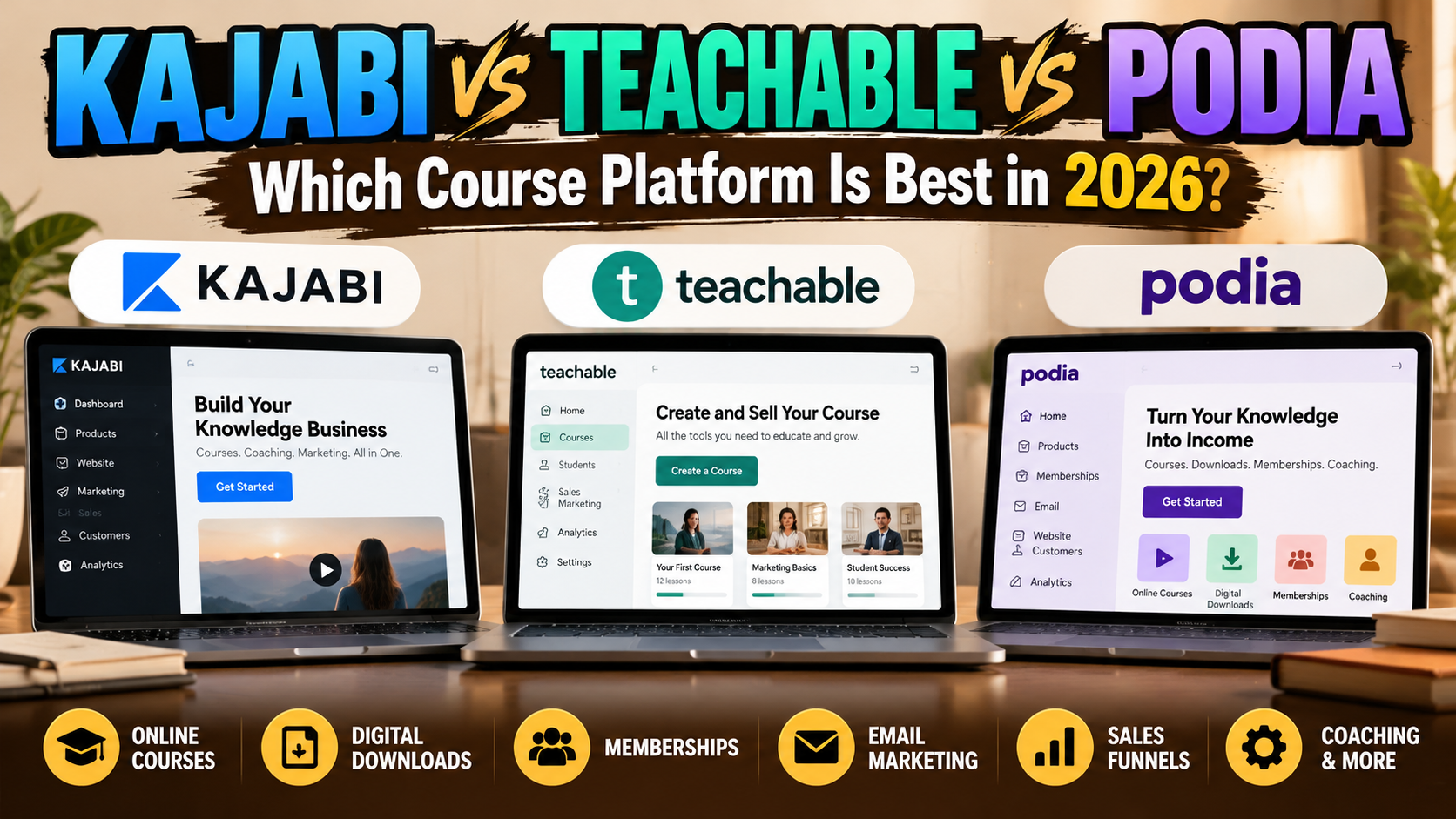
Updated October 2026 | NextHatch Software Research
Choosing the right online course platform can determine how easily you launch, sell, and grow a knowledge-based business.
Whether you're a coach, educator, consultant, or creator, you need more than somewhere to upload videos. You need software that supports your products, delivers a good student experience, and fits your budget.
Three popular options are Kajabi, Teachable, and Podia. All three can help you sell online courses, but their strengths are different.
In this guide, we'll compare their features, pricing considerations, marketing capabilities, and ideal use cases to help you make a more informed decision.
Quick verdict: Which platform should you choose?
Kajabi: Best suited to entrepreneurs who want courses, marketing funnels, email campaigns, and communities in one integrated platform.
Teachable: A strong option for educators who prioritize structured course delivery, student learning tools, and selling educational products.
Podia: Worth considering for creators who want a relatively straightforward way to sell courses, downloads, memberships, and other digital products.
There isn't one platform that's best for everyone. Your ideal choice depends on what you're selling and how you plan to attract customers.
Kajabi vs. Teachable vs. Podia: Feature comparison
| Feature | Kajabi | Teachable | Podia |
|---|---|---|---|
| Online courses | Yes | Yes | Yes |
| Digital downloads | Yes | Yes | Yes |
| Coaching | Yes | Yes | Yes |
| Memberships or communities | Yes | Yes | Yes |
| Website-building tools | Yes | Yes | Yes |
| Email marketing | Integrated marketing suite | Sales and email features | Integrated email tools |
| Sales funnels | Major focus | Sales tools available | Landing pages and sales tools |
| Quizzes and learning tools | Course tools available | Strong emphasis | Check current course features |
| Best fit | Integrated knowledge business | Course-focused educators | Creators seeking simplicity |
Features and limits vary by subscription. Check each provider's current plan details before purchasing.
1. Kajabi: Best for an integrated knowledge business
Kajabi is designed for entrepreneurs who want to build an entire business around their expertise.
Rather than relying on separate services for course hosting, websites, email marketing, and sales funnels, Kajabi brings these functions together.
What makes Kajabi attractive?
Build and sell online courses and coaching programs.
Create landing pages and sales funnels.
Manage marketing emails and customer contacts.
Offer communities and other digital products.
Connect product delivery with marketing campaigns.
For an established coach or educator, that integration can reduce the need to manage multiple subscriptions.
Potential drawbacks
Kajabi's subscription cost may be difficult to justify if you're launching your first course and haven't generated revenue yet.
You should compare the full monthly cost against the tools it would replace, rather than looking at course hosting alone.
NextHatch verdict: Consider Kajabi when marketing automation and an integrated customer journey matter as much as course delivery.
2. Teachable: Best for course-focused educators
Teachable focuses heavily on creating, selling, and delivering educational products.
It supports online courses, coaching, memberships, and digital downloads.
Why educators consider Teachable
Course creation tools designed for structured lessons.
Student learning features such as quizzes and drip content.
Payment and checkout capabilities.
Options for coaching and digital products.
Tools for managing students and course sales.
Teachable may appeal to someone whose main product is a course rather than an entire collection of marketing services.
Potential drawbacks
Some advanced features depend on the subscription tier. Before subscribing, review the plan's product limits, transaction fees, integrations, and marketing features.
If you need sophisticated email automation or complex funnels, evaluate whether the included tools meet your needs.
NextHatch verdict: Teachable deserves consideration when the student learning experience is your primary concern.
3. Podia: Best for creators who want a straightforward storefront
Podia combines course selling with digital downloads, coaching, communities, website tools, and email features.
Its appeal is the ability to manage several types of digital products within one service.
Why creators consider Podia
Sell courses and downloadable products.
Build a website and landing pages.
Offer coaching and community access.
Use integrated email features.
Start with a relatively simple product catalog.
This makes Podia worth evaluating if you're launching a small knowledge business and want to avoid assembling too many separate tools.
Potential drawbacks
Podia's plans differ in product limits, subscriber allowances, transaction fees, and advanced selling features.
Creators who need highly specialized learning tools or sophisticated marketing workflows should check whether Podia's capabilities are sufficient.
NextHatch verdict: Podia is a practical candidate for creators prioritizing a straightforward setup and multiple digital product types.
How much do online course platforms cost?
Subscription price is only one part of the decision.
When comparing platforms, consider:
Monthly or annual subscription: What will you pay even before making a sale?
Transaction fees: Does your plan charge a percentage of sales?
Payment processing: What fees apply when customers pay?
Email subscriber limits: Will your marketing costs increase as your list grows?
Product limits: How many courses, downloads, or memberships can you offer?
Additional software: Will you need separate tools for email, scheduling, or automation?
A lower-priced plan is not necessarily cheaper if it requires several additional subscriptions.
Likewise, a more expensive integrated platform may not be worthwhile if you only need to host one course.
Because pricing and plan limits change, compare the providers' current official pricing pages before committing.
Which platform is best for beginners?
For beginners, the most important consideration is often how quickly you can launch a product without creating unnecessary expenses.
Ask yourself:
Am I selling one course or building a broader business?
Do I already have an email marketing system?
Will I also sell templates, guides, or coaching?
Do I need quizzes, certificates, or other learning features?
How much can I afford before making my first sale?
If you mainly need a simple way to sell digital products, Podia is worth evaluating.
If you're building a structured educational program, compare Teachable's course features.
If you're building a larger knowledge business with integrated marketing, examine Kajabi.
Which platform is best for memberships and coaching?
All three platforms support offerings beyond traditional self-paced courses.
The right choice depends on how those offerings work.
For example, a coach selling high-ticket programs may care more about landing pages, customer communications, and automations than advanced quizzes.
A creator selling a recurring membership may prioritize community access, subscription management, and member engagement.
An educator offering certification-style training may prioritize lesson organization, progress tracking, and assessments.
Choose based on the customer experience you need to deliver, not just the number of features advertised.
Five mistakes to avoid when choosing course software
1. Paying for features you won't use
An expensive platform won't automatically make your course successful. Start with the capabilities you need.
2. Ignoring transaction fees
A small percentage can become significant as sales grow. Compare the total cost at realistic revenue levels.
3. Forgetting your marketing strategy
Course hosting solves delivery. You still need a way to attract visitors, build trust, and convert them into customers.
4. Overlooking future products
If you plan to add memberships, coaching, or digital downloads, consider whether your platform can support those offerings.
5. Choosing based on popularity alone
A platform that works for a large creator business may be unnecessarily complex for a first-time seller.
Final verdict: Kajabi, Teachable, or Podia?
Choose Kajabi if you want an integrated system for products, marketing, and customer relationships.
Choose Teachable if your business centers on delivering structured online education.
Consider Podia if you want a straightforward way to sell courses alongside downloads, coaching, and memberships.
Before making a final decision, test the editor, checkout process, student experience, and features included in the plan you can afford.
Find the right course platform with NextHatch
You don't need to choose software based on advertising claims alone.
NextHatch helps you research and compare tools for building an online knowledge business.
Explore the Software Finder to narrow down your options based on your products, priorities, and workflow.
Ready to compare your options? Use the NextHatch Software Finder.
Editorial Note: NextHatch independently researches and compares software platforms to help entrepreneurs make informed decisions. This article is informational and does not represent an endorsement or paid partnership with Kajabi, Teachable, or Podia. Features and pricing may change, so always verify current details on each provider's official website.
Keep exploring